Find Books
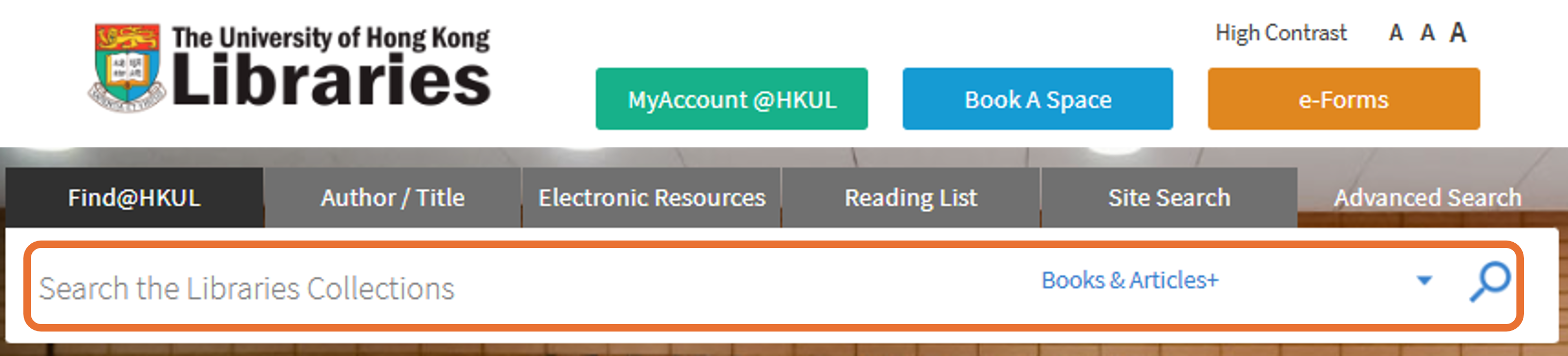
1. To locate books in the HKU Libraries, simply visit our homepage and enter the book title or relevant keywords in the search box.
2. Refine your search using the filters on the sidebar of the result page to narrow down your search if needed. For example, you can limit results to Books, Year from 2020 to 2025, and Language in English only.
Click on the  icons for more information and helpful tips!
For e-books, simply click on "Online access" or "Full text available" link to access the full-text online. You can also use of the "Full Text Online" filter in the sidebar to display only e-materials.
For print books, you will see the location information along with the call number of the book, guiding you to find the book on our shelves. You can use the "Available in the Library" filter to display results to physical items only.
ReadingList@HKUL is an online list of required reading materials* for your course. To search for your reading list, follow these steps:
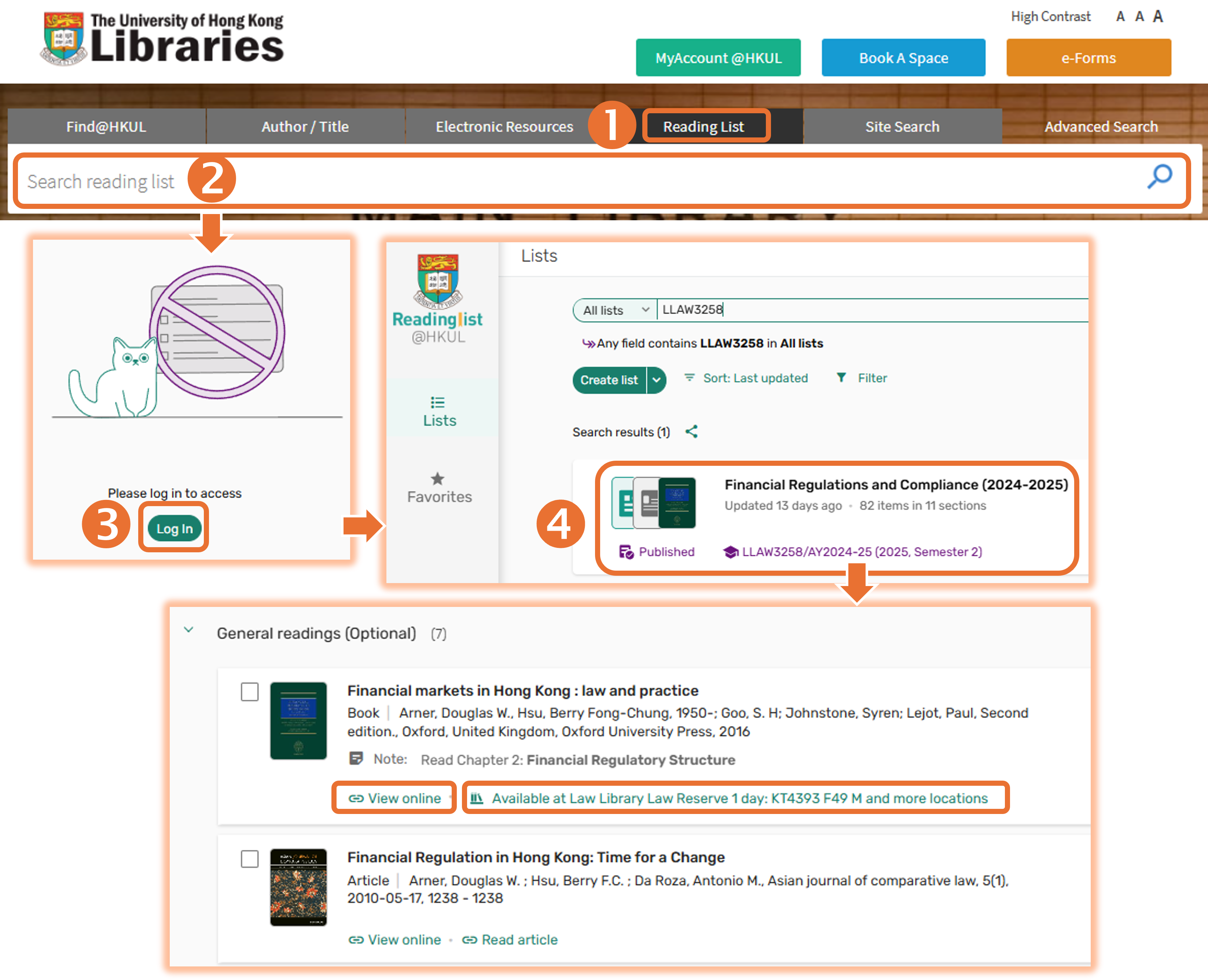
You can also access your course reading list through HKU Moodle. For detailed instructions, please refer to this video tutorial from 0:45.
* Not all courses have reading lists available through ReadingLists@HKUL. If you cannot find a list, please check with your instructor.
**Printed course materials can be found in our Reserve Collection, located behind the Information Counter near the entrance of the Law Library.
If you need books or other items from the Main Library or other branches, you can request them using our Inter-branch Delivery Service to save on travel.
Follow these steps:
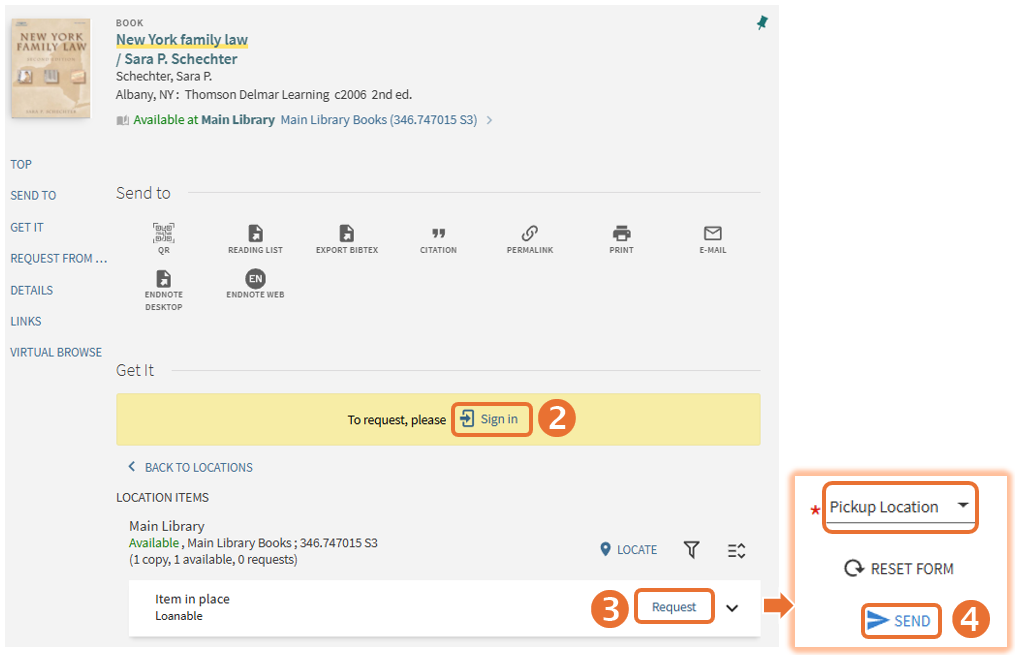
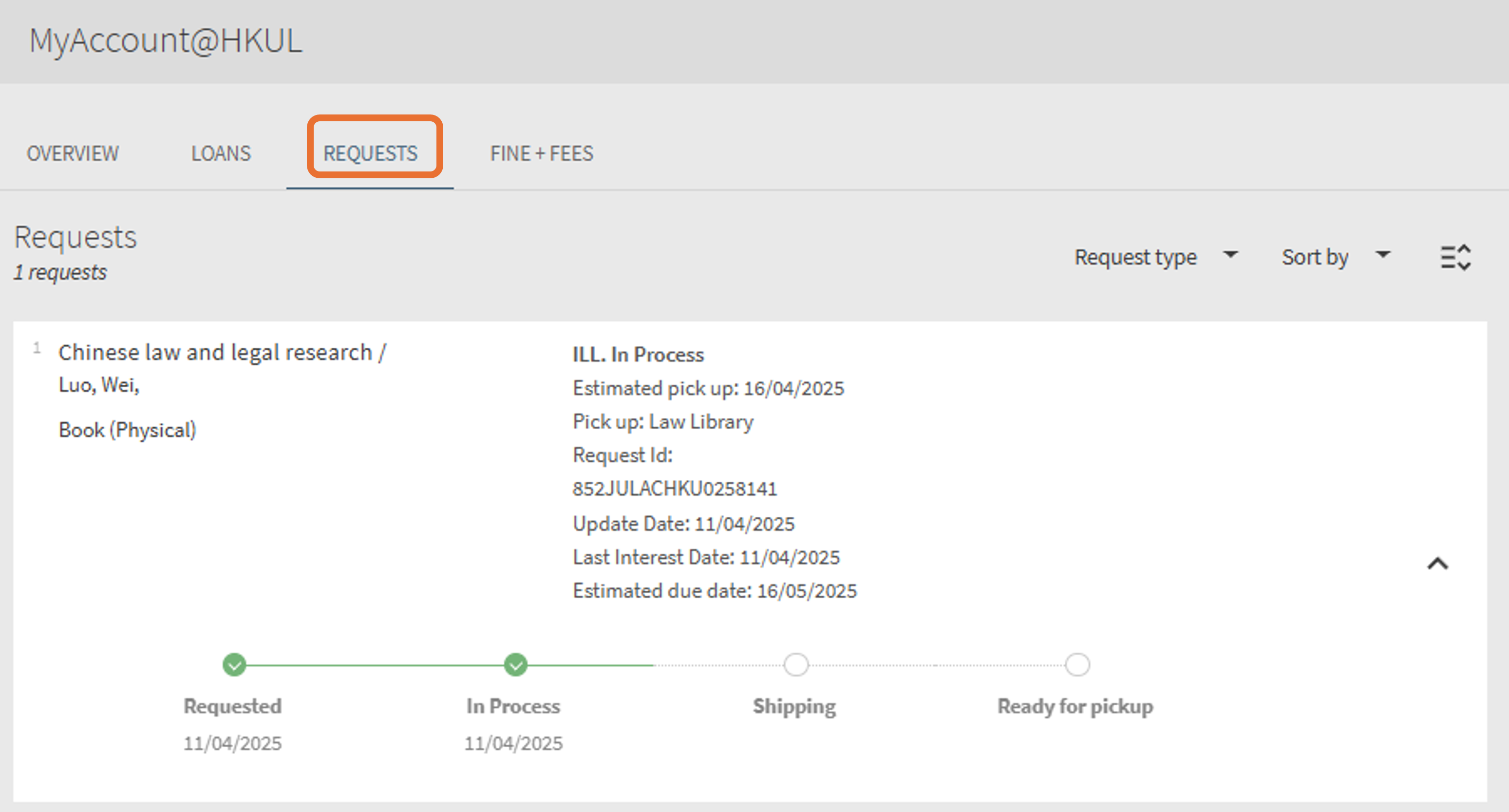
You will receive an email notification when the book is ready to pick up at the Law Library, which typically takes 2-4 working days. You can also check the status of your book request through MyAccount@HKUL.
You can request books, book chapters, journal articles, and other resources not currently available in HKU Libraries from other UGC-funded libraries or institutions worldwide. Follow these steps to search using Beyond HKU (HKALL+ Interlibrary Loan):
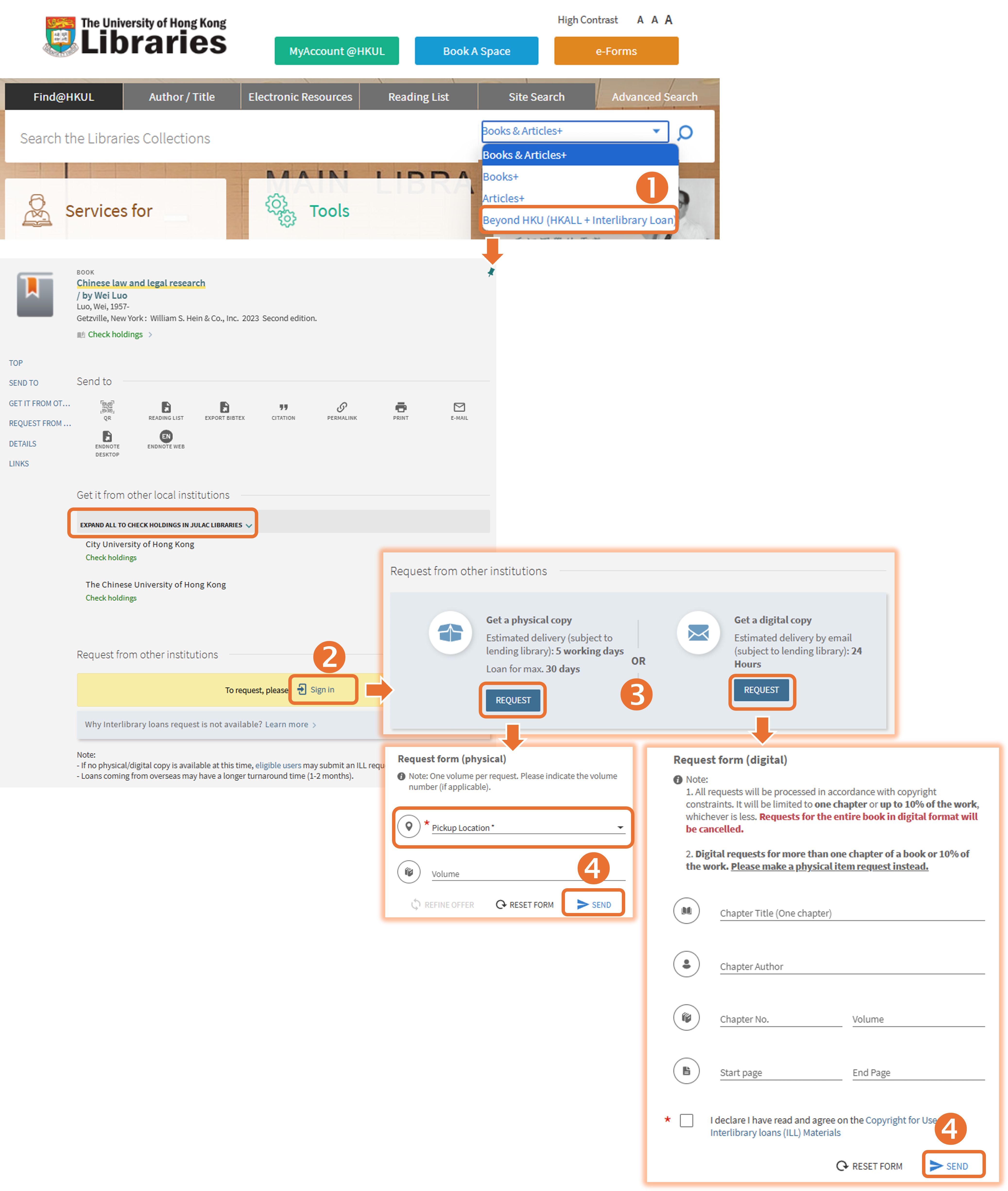
You will receive an email notification when the requested item is ready. You can also track the progress of your request through MyAccount@HKUL.
You can recall a print book currently on loan by following these steps:
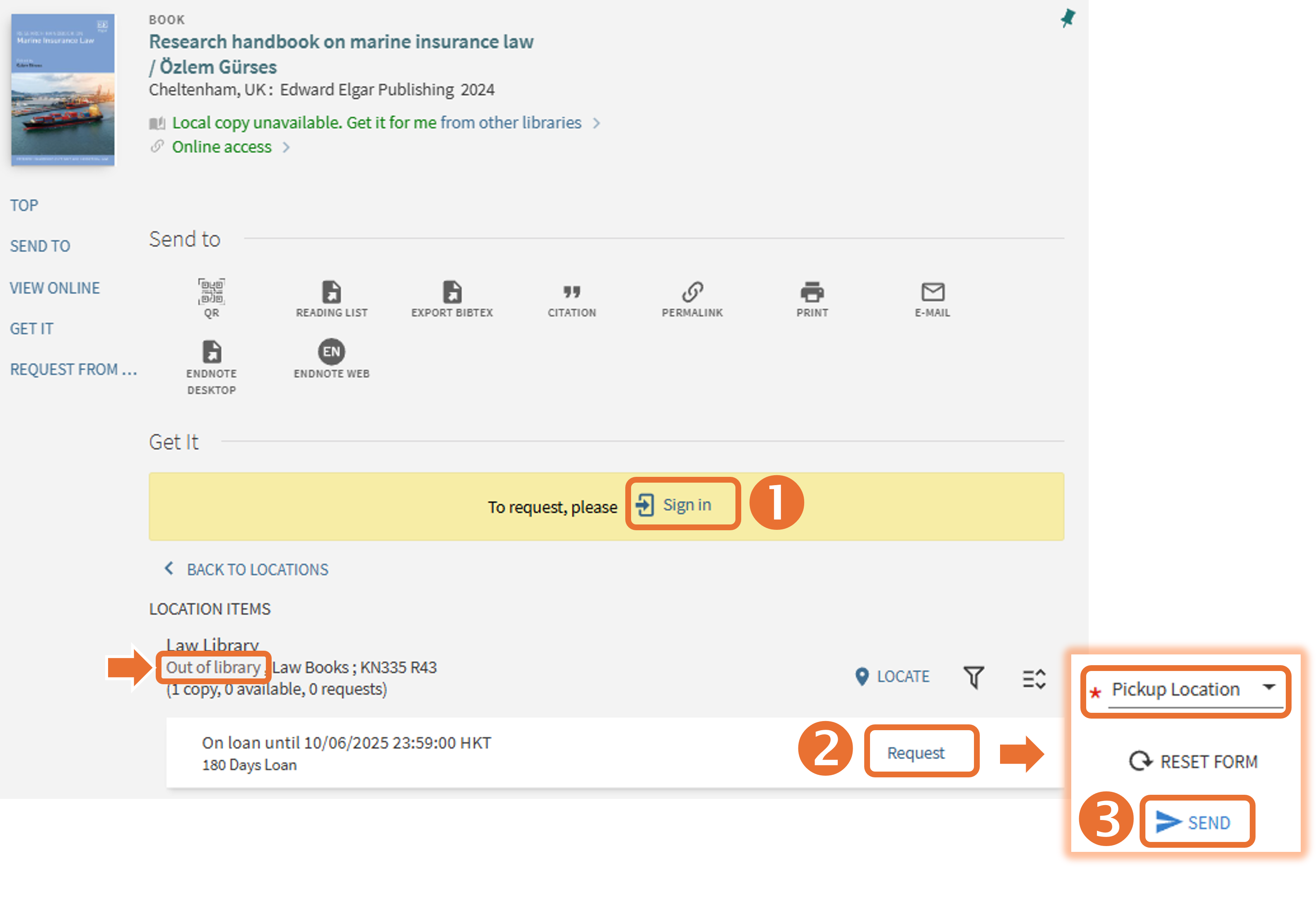
Once you submit your recall request, the loan period for the current borrower will be shortened, and they will not be able to renew the item. You will receive an email notification when the book is ready for pickup.
If your borrowed item is recalled by another user, you will receive a notice with the new due date, and renewal will not be permitted. Please note that overdue fines for recalled items are $5 per day, and your library account may be blocked from further borrowing, renewing, or requesting items.
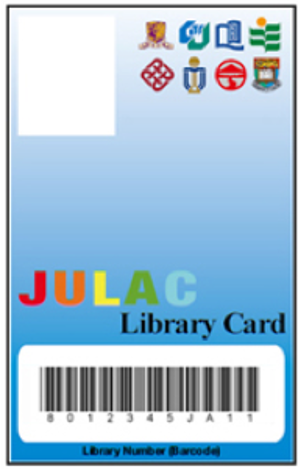
Apply for a JULAC Card to visit* other UGC-funded libraries,
Undergraduate students can apply for a JULAC Card (Reader) for HK$50 per host library per year. This card allows you to visit these libraries and use their materials on-site, but does not grant borrowing privileges.
Postgraduate students are eligible for a JULAC Card (Borrower) at no cost.
Applications take 7 working days. No email notification will be sent when your card is ready. Please pick it up in person at the Enquiries Counter (2/F, Main Library) with your HKU student card.
* UGC-funded libraries may implement blackout periods for JULAC Library Card holders. Please check with the specific libraries for details.
Identify Book Titles from Citations
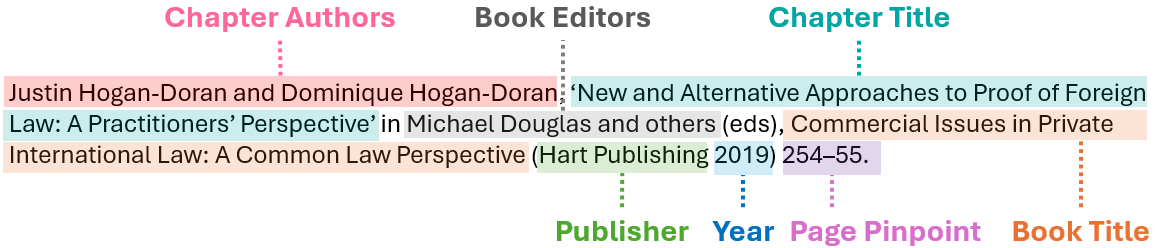
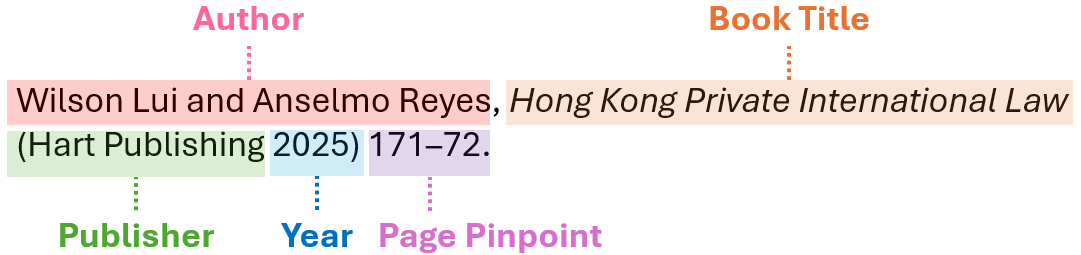
During your studies, you will often encounter lists of recommended readings presented in citation format. Below are some examples in OSCOLA to help you identify book titles from these citations and locate them using Find@HKUL.
Book: To find a book using Find@HKUL, we recommend searching with the book title.
Chapter in an edited book: To find a specific chapter in an edited book, we recommend searching by the book title, as the chapter title may not be indexed in Find@HKUL.