
Jounrals & Articles
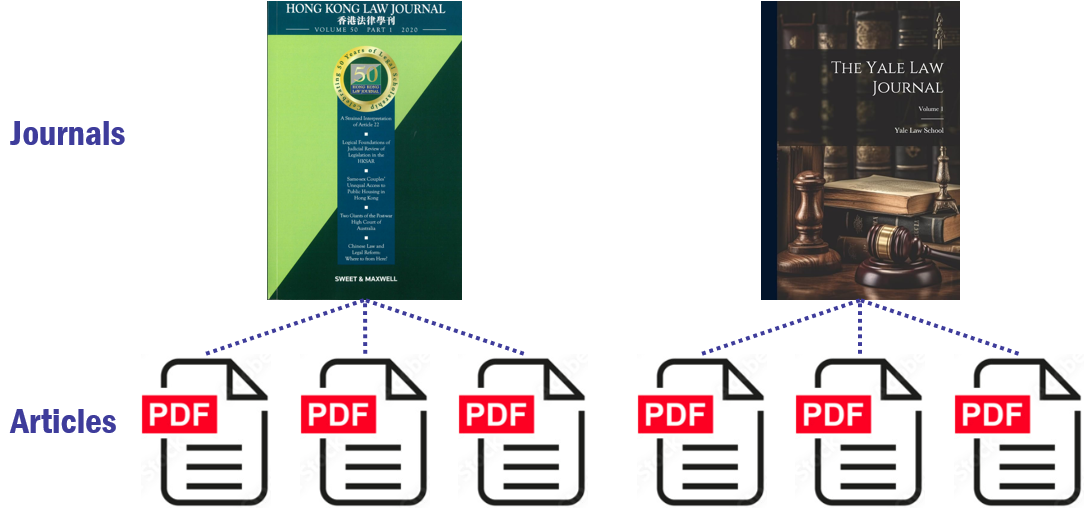
Journals are periodic publications that contain scholarly articles on specific subjects; Articles are individual pieces within these journals.
Check Abbreviations

Cardiff Index to Legal Abbreviations is a comprehensive resource for decoding legal abbreviations used in law reports, journals, and publications.
Video Tutorials
Using Library Search: Find@HKUL (5:22)
Primo Research Assistant - HKU Libraries (2:29)
Using Boolean Operators for Effective Search (3:51)
Interlibrary Loan: Search beyond HKU (6:47)
Google Scholar and HKU Libraries (2:25)
HKUL Search Assistant
HKU Library Search Assistant is a plugin that allows you to search the HKU Libraries Catalogue and popular databases directly from your browser, providing access to HKUL-subscribed resources from publishers' websites.
Find Articles
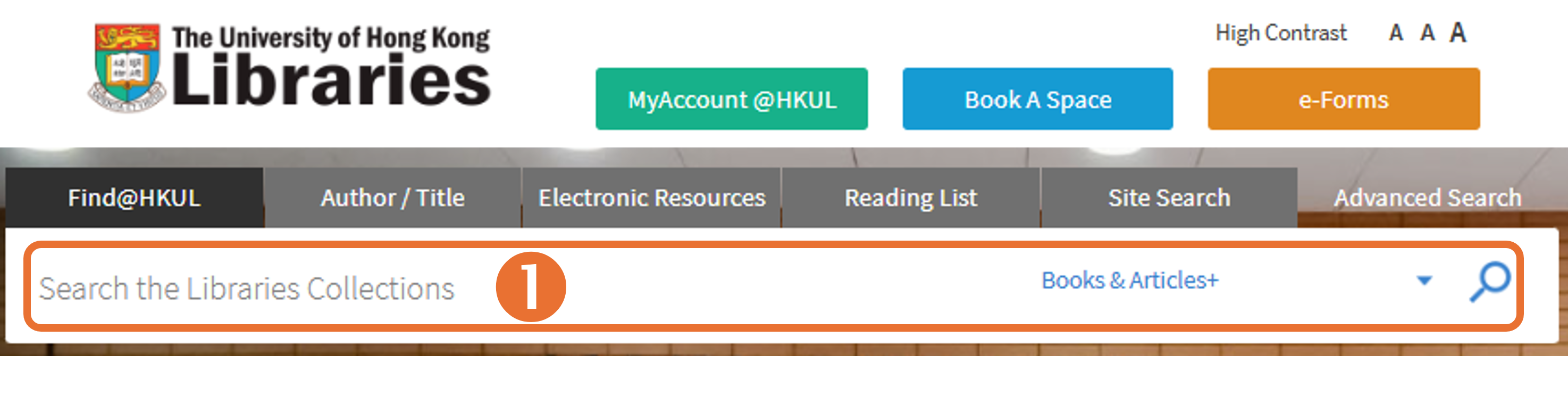
1. To locate articles in the HKU Libraries, simply visit our homepage and enter the article title or relevant keywords.
2. Refine your search using the filters on the sidebar of the result page to narrow down your search if needed. For example, you can limit results to Articles, Year from 2020 to 2025, and Language in English only.
3. To read and download the article, simply click on the link(s) provided.
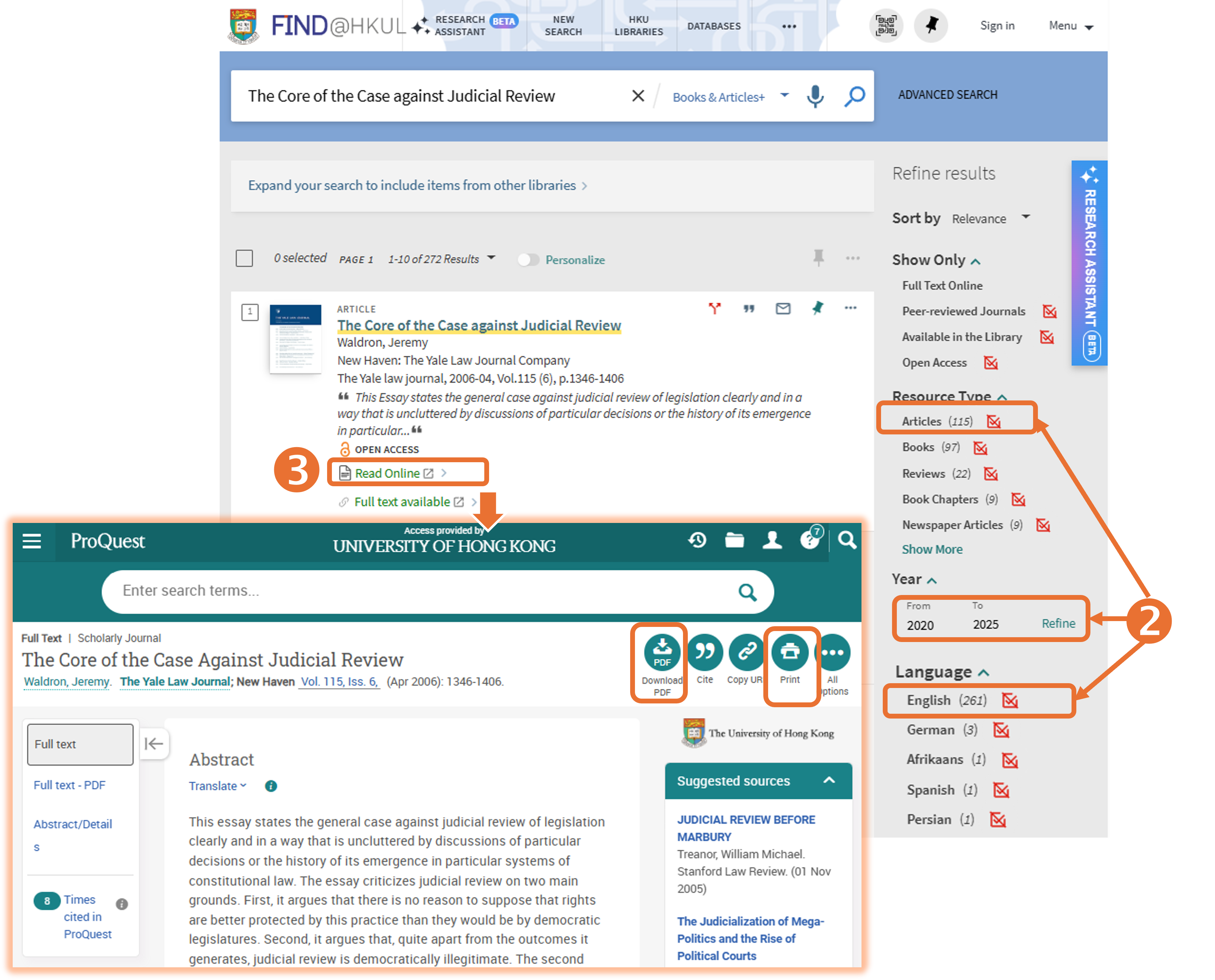
Please note that not all articles are indexed in Find@HKUL. If you cannot locate a journal article using the article title search, please conduct a journal title search to access the article at the journal level.
We use the following article to demonstrate how to use the journal title search in Find@HKUL:
Anfield Tam, ‘Judicial Copying in Hong Kong’ (2024) 54 HKLJ 637.
When searching for the article title "Judicial Copying in Hong Kong", no journal article can be retrieved, because not all articles are indexed in Find@HKUL. In this case, we recommend the following steps for a journal title search:
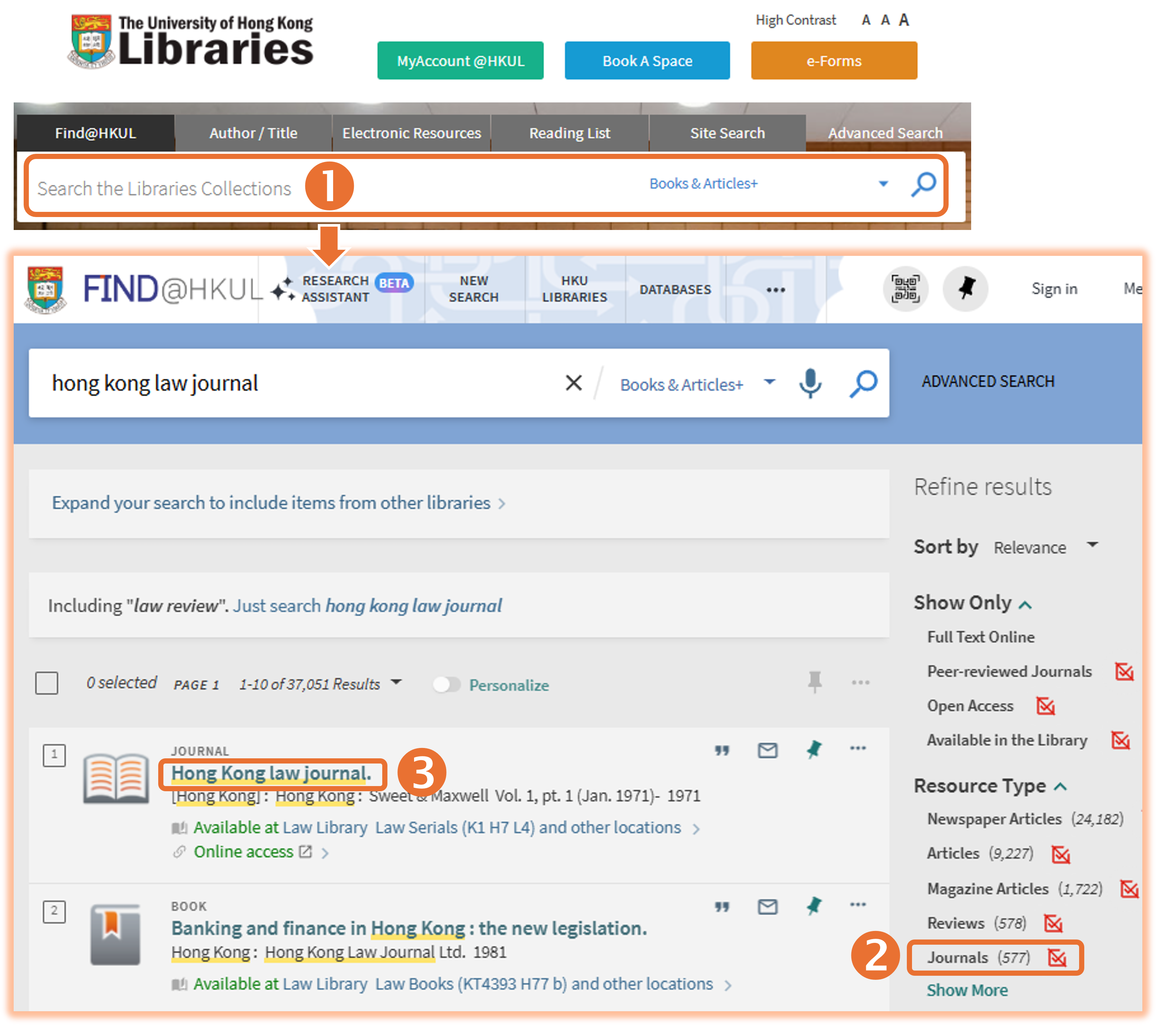
1. Enter the journal title, "Hong Kong Law Journal", in the search box, as "HKLJ" is an abbreviation. You can check the full title using the Cardiff Index to Legal Abbreviations.
2. Apply filters to narrow down your search if needed, e.g., limit the Resource Type to "Journal".
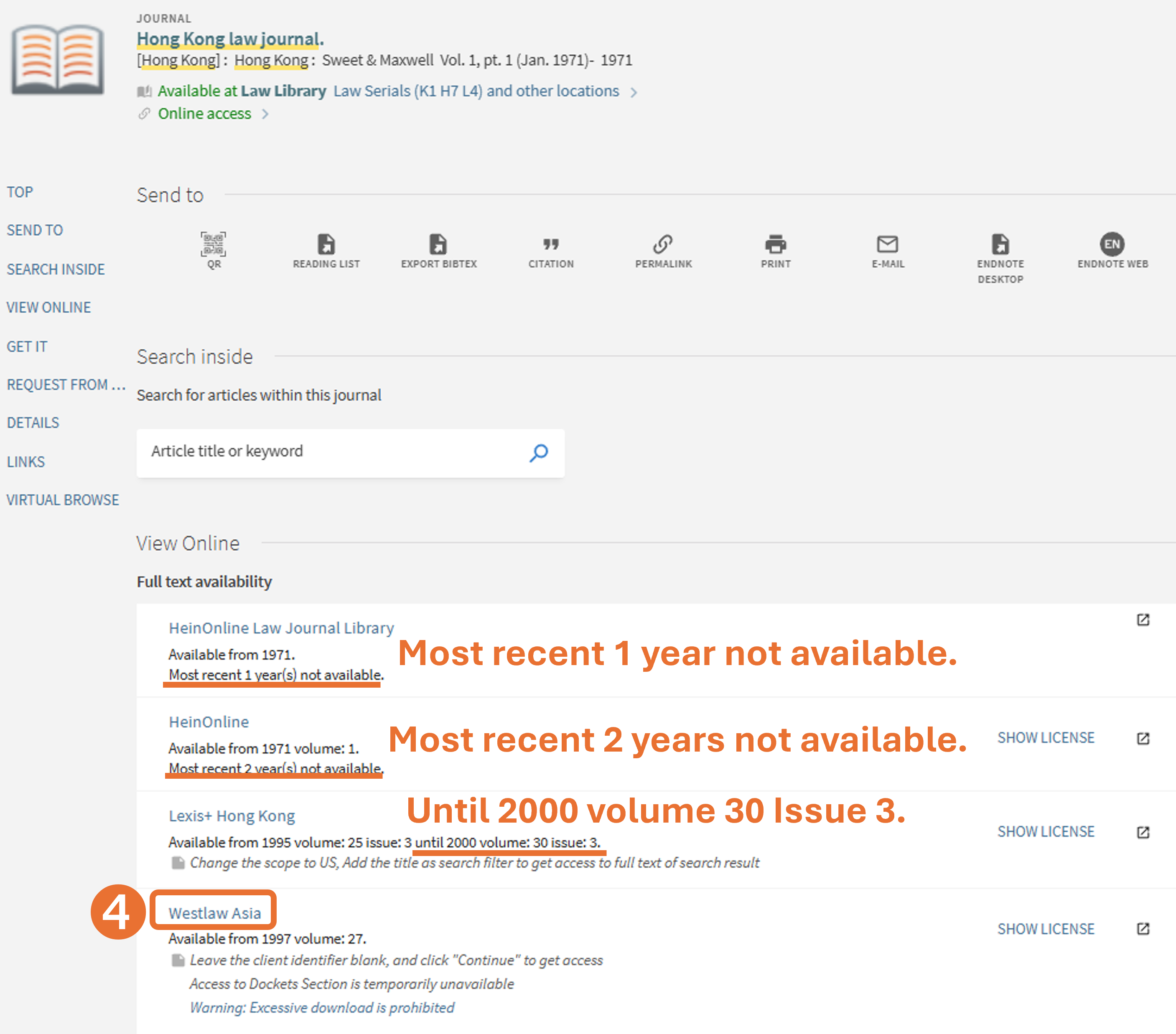
3. Click on the journal title instead of the online access to explore more access options.
4. Select an appropriate database to access the journal under "View Online". Since the article was published in 2024, you should select "Westlaw Asia" as HeinOnline and Lexis+ Hong Kong do not provide access to the most recent articles.
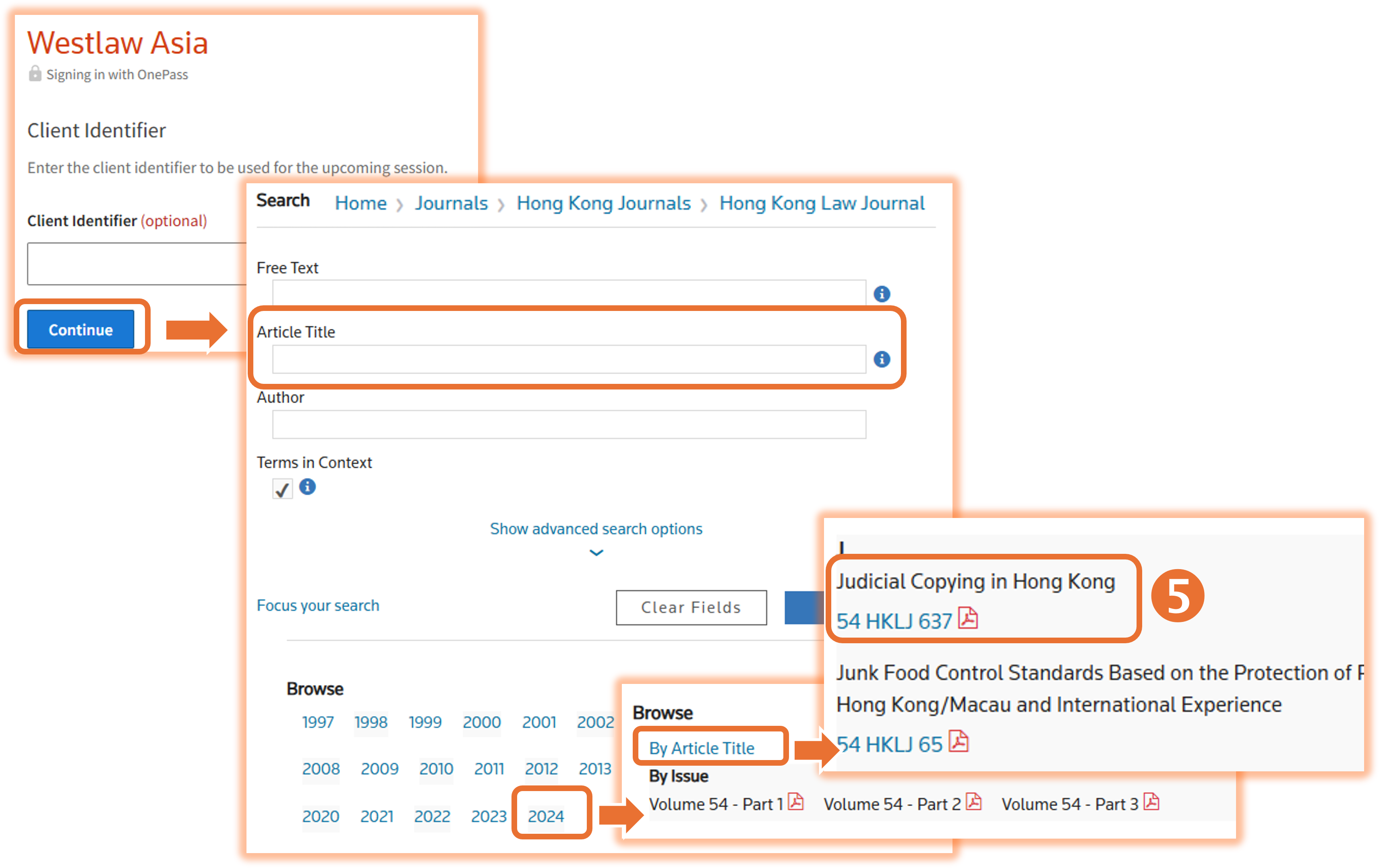
5. You can then browse or search for the article in the selected database.
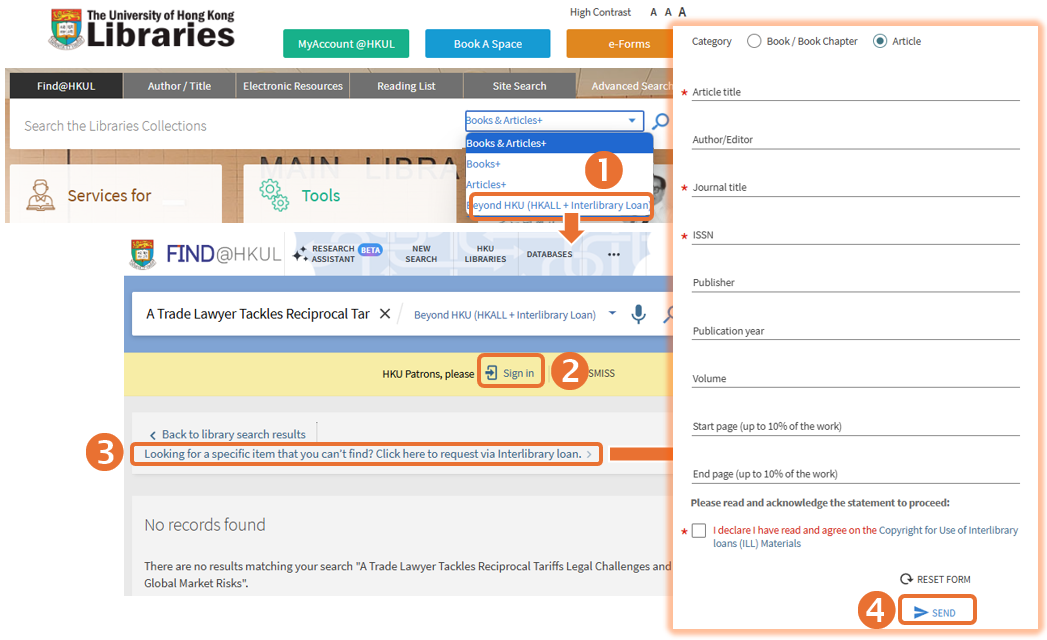
If you cannot locate the journal title in Find@HKUL, consider requesting the article using our interlibrary loan service.
You can request books, book chapters, journal articles, and other resources not currently available in HKU Libraries from other UGC-funded libraries or institutions worldwide. Follow these steps to search using Beyond HKU (HKALL+ Interlibrary Loan):
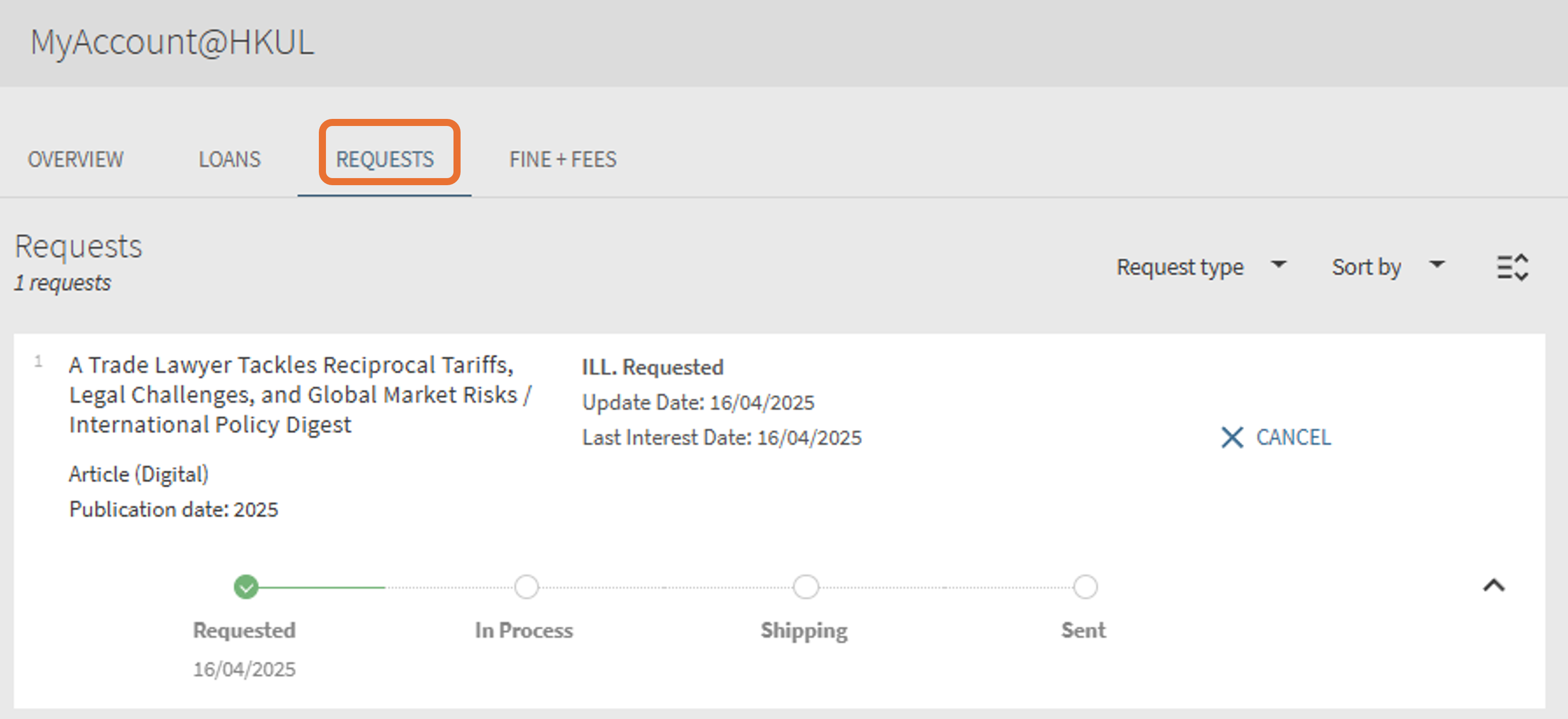
You will receive an email notification when the requested item is ready. You can also track the progress of your request through MyAccount@HKUL.
Follow these steps to show View it@HKUL in Google Scholar. This will enable you to access articles subscribed by the Library even when off-campus:


Identify Article Titles and Journal Titles from Citations
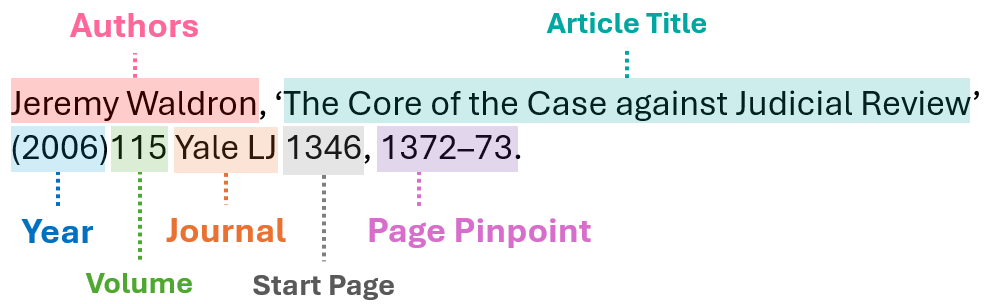
During your studies, you will often encounter lists of recommended readings presented in citation format. Below are some examples in OSCOLA to help you identify article titles and book titles from these citations and locate them using Find@HKUL.
Article: To find an article using Find@HKUL, we recommend starting with the article title. If that does not work, try searching by the journal title, as the article may not be indexed in Find@HKUL. Note that journal titles are often abbreviated. You can check the full title using the Cardiff Index to Legal Abbreviations.
Example 1:
Example 2:
